Introduction
Accessing government services has become easier with the growth of digital platforms in India. Many government departments now provide online facilities that allow citizens to access information, submit requests, make payments, and check application statuses without always visiting government offices.
However, finding different services across multiple government websites and applications can sometimes be confusing.
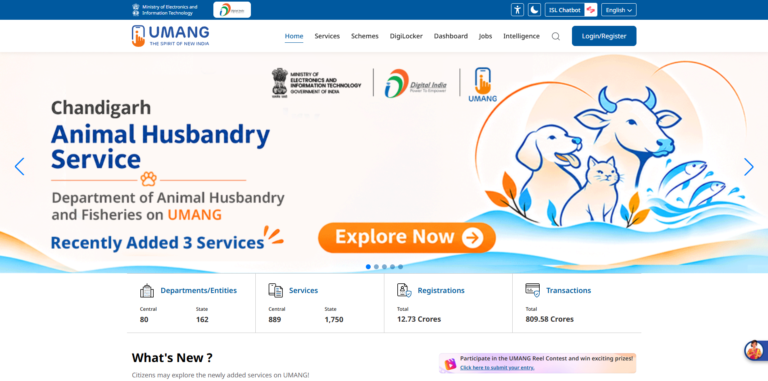
To simplify this process, the Government of India introduced UMANG, a unified digital platform that brings together various central, state, and local government services through a single application and web portal.
Whether you want to explore government schemes, access selected pension services, check educational services, or use other citizen-focused facilities, UMANG provides a common platform to discover participating government services.
In this guide, DigiStudyLab.in explains what UMANG is, how to register, how to log in, its important features, the types of services available, and how citizens can use the platform.
What Is UMANG?
UMANG stands for Unified Mobile Application for New-age Governance.
It is a Government of India initiative developed by the Ministry of Electronics and Information Technology (MeitY) and the National e-Governance Division (NeGD).
UMANG is designed to provide citizens with access to a wide range of government services through a unified digital platform.
Instead of installing separate applications or visiting multiple websites for every government department, users can discover participating services through the UMANG mobile application or official web portal.
The platform brings together services from:
- Central Government departments.
- State Government departments.
- Union Territory administrations.
- Local government bodies.
- Participating public authorities and agencies.
UMANG is part of the Digital India initiative and aims to make government services more accessible through digital technology.
Official UMANG website: https://web.umang.gov.in/
Objectives of the UMANG Platform
UMANG aims to simplify the way citizens access government services.
Its major objectives include:
- Bringing multiple government services together on a common platform.
- Improving access to digital public services.
- Reducing the need to visit government offices for services that can be completed online.
- Supporting mobile-based access to government facilities.
- Providing a consistent experience across participating departments.
- Improving transparency through online service and application tracking facilities.
- Supporting digital inclusion by offering access through multiple channels and languages.
Important Features of the UMANG App
UMANG provides several facilities designed to make government services easier to discover and use.
1. Unified Government Services
UMANG brings together participating services from central, state, and local government departments.
Users can search for the required department or service rather than navigating through numerous separate websites.
2. Mobile and Web Access
Citizens can use UMANG through its official mobile application and web portal.
This provides flexibility for people who prefer using smartphones, tablets, or desktop computers.
3. Multiple Service Categories
The platform covers different areas, including:
- Education.
- Healthcare.
- Employment and skills.
- Agriculture.
- Finance.
- Social welfare.
- Transport.
- Utility services.
- Pension-related services.
- Housing and other citizen facilities.
4. DigiLocker Integration
UMANG provides integration with DigiLocker, allowing users to access supported digital document facilities through the integrated ecosystem.
Users should follow the relevant authentication and document-access instructions.
5. Government Scheme Discovery
Citizens can explore participating government schemes through the UMANG platform.
The availability of information and application facilities depends on the relevant scheme and department.
6. Application and Transaction Tracking
For supported services, users can check application progress, transaction information, and other service-related updates.
7. Multilingual Access
UMANG supports multiple Indian languages to make digital government services more accessible to citizens from different linguistic backgrounds.
8. Customer Support
Users can access the support facilities provided by UMANG when they encounter problems with the platform or its services.
The official portal currently lists customer support through helpline number 10505.
Popular Services Available on UMANG
UMANG brings together government services from different departments and makes them accessible through a single digital platform. Citizens can search for services by department, category, or service name using the UMANG application or official website.
Here are some useful government services that users can explore through UMANG.
1. Education and Student Services
UMANG provides access to several education-related services that can help students, parents, and educational institutions.
Some examples include:
- CBSE Services: Explore participating CBSE-related facilities and educational services.
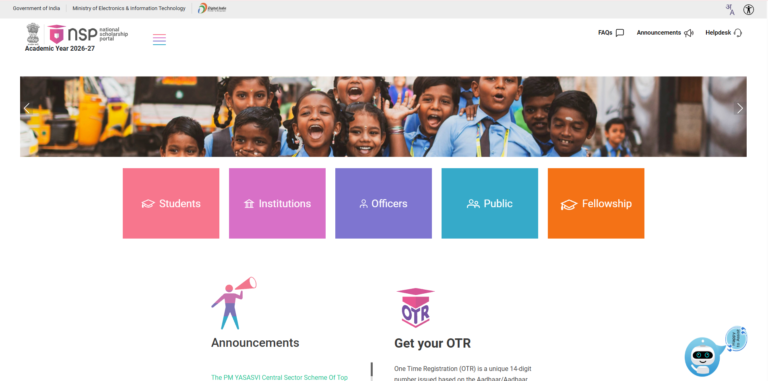
- National Scholarship Portal (NSP): Access supported scholarship-related services and facilities.
- National Digital Library: Explore digital educational resources.
- SWAYAM: Access information and services associated with the Government of India’s online learning platform.
- Examination Results: Check supported examination results, including the 12th Result service listed on the UMANG homepage.
These services can help students discover educational information and access participating government education facilities.
2. Employment and Skill Development Services
Job seekers and individuals interested in improving their professional skills can explore employment and skill-development services.
Examples include:
- MGNREGA: Access participating employment-related services.
- NIELIT: Explore services associated with the National Institute of Electronics and Information Technology.
- Staff Selection Commission (SSC): Discover supported examination and recruitment-related facilities.
- AICTE: Explore services related to technical education.
- Skill Development Services: Access participating government skill-development facilities.
The availability of individual services and application facilities depends on the respective department.
3. EPFO and Employee Services
Employees and pensioners can explore useful services provided by the Employees’ Provident Fund Organisation (EPFO).
Supported facilities have included:
- Checking provident fund balance.
- Viewing EPF passbook information.
- Raising and tracking claims.
- Accessing pension-related services.
- Registering and tracking grievances.
- Finding EPFO office information.
These facilities can help employees access selected provident fund services without visiting an EPFO office for every enquiry.
4. Pension and Social Security Services
UMANG provides access to selected pension and social security services.
Examples include:
- Jeevan Pramaan: Access digital life certificate facilities for eligible pensioners.
- National Pension System (NPS): Access supported pension account-related services.
- Atal Pension Yojana: Explore eligible account and scheme-related facilities.
- SAMPANN: Access supported pension information, including Pension Payment Order (PPO) details and life certificate validity for eligible Department of Telecommunications pensioners.
These services can be particularly useful for pensioners who want to access selected pension-related information digitally.
5. Healthcare and Medical Services
Citizens can explore participating healthcare services through UMANG.
Examples include:
- e-RaktKosh: Explore blood bank information and blood availability services.
- Jan Aushadhi Sugam: Find information about Pradhan Mantri Bhartiya Janaushadhi Kendras and affordable generic medicines.
- ORS: Access participating online registration services associated with government hospitals.
- Ayushman Bharat: Explore supported healthcare scheme services.
- Nikshay: Access participating tuberculosis-related services.
The services available may differ depending on the department and integration.
6. Aadhaar and Digital Document Services
UMANG provides access to selected identity and digital document facilities.
Examples include:
- My Aadhaar: Explore supported Aadhaar-related facilities, such as authentication history and other available services.
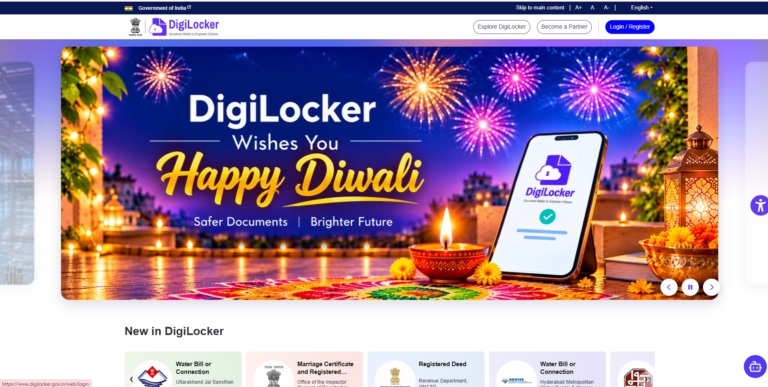
- DigiLocker: Access issued digital documents and supported document-management facilities.
- Driving Licence: Access supported transport-document facilities.
- Vehicle Registration Certificate: Explore available vehicle-related digital document services.
- PAN-related Services: Discover participating PAN and financial services.
Some services require additional authentication or may redirect users to the concerned department.
For a detailed explanation of digital document access, read our guide: DigiLocker: Registration, Login, and How to Access Digital Documents.
7. Transport and Railway Services
UMANG includes participating transport and railway-related services.
Examples include:
- VAHAN: Explore supported vehicle registration services.
- National Train Enquiry System: Access participating train enquiry facilities.
- Rail Madad: Explore railway grievance and assistance services.
- IRCTC: Access supported railway-related services.
- UTS: Discover participating unreserved ticketing facilities.
Check the relevant service instructions before making bookings, payments, or submitting requests.
8. Agriculture and Farmer Services
Farmers can explore government agriculture-related services through UMANG.
Examples include:
- Kisan Suvidha: Access participating farmer information and agricultural services.
- Kisan Sarathi: Explore agricultural advisory and communication facilities.
- Horticulture Services: Check supported application and beneficiary information.
- Rubber Board Services: Explore participating services for the rubber sector.
- Agricultural Machinery Services: Discover information about machinery, dealers, and supported subsidy-related facilities.
These services can help farmers find useful government agricultural information through a common platform.
9. State Government Services
UMANG also brings together selected services offered by state governments and Union Territory administrations.
Depending on the state and available integration, citizens may be able to:
- Apply for income certificates.
- Access domicile and residence certificate services.
- Explore caste certificate application facilities.
- Access birth and death certificate services.
- Check selected application statuses.
- Access utility and bill payment facilities.
- Explore state government welfare schemes.
Example: Telangana MeeSeva
Telangana residents can explore participating MeeSeva services through UMANG.
These have included facilities relating to income, family, residence, EBC, and OBC certificates, along with other state government services.
The actual services available should be checked on the live UMANG platform.
10. Consumer Grievance and Citizen Services
UMANG also provides access to selected citizen engagement and grievance-related services.
Examples include:
- National Consumer Helpline: Access consumer grievance-related facilities.
- CPGRAMS: Explore the Centralised Public Grievance Redress and Monitoring System.
- Register Grievance: Use supported grievance registration facilities.
- Know Your CIBIL Score: Access the popular service listed on the UMANG homepage.
- Weather Report: Explore the weather information service.
- Blood Availability: Check the blood availability service listed on the homepage for supported locations.
These services help citizens discover useful information and access participating public service facilities.
How to Find These Services on UMANG
To explore any of the services mentioned above, follow these steps:
- Visit the official UMANG website: https://web.umang.gov.in/
- Open the Services section or use the search facility.
- Enter the department or service name.
- Select the relevant service from the available results.
- Read the eligibility conditions and instructions.
- Complete the required login or authentication process.
- Follow the instructions displayed to access the service.
You can also explore services through the UMANG mobile application.
Important: The services listed above are examples of facilities documented by UMANG and government sources. Not every service is available in every state or for every user. Some services may be updated, temporarily unavailable, or redirected to the respective department’s website. Always check the live UMANG platform for current availability.
Explore UMANG Services: https://web.umang.gov.in/landing/services
Official UMANG Website: https://web.umang.gov.in/
How to Download the UMANG App
Citizens can access UMANG through its official mobile application.
For Android Users
- Open the Google Play Store on your Android smartphone.
- Search for UMANG.
- Verify that the application is published by the Government of India or its authorized developer.
- Select Install.
- Open the application after installation.
Official Android download:
https://play.google.com/store/apps/details?id=in.gov.umang.negd.g2c
For iPhone Users
- Open the Apple App Store.
- Search for UMANG.
- Verify the official application and publisher.
- Download and install the application.
- Open it after installation.
For additional information and official download options, visit:
How to Register on the UMANG App
Creating a UMANG account allows users to access services that require authentication.
Follow these steps:
Step 1: Open the UMANG App or Website
Download and open the official UMANG mobile application or visit:
Step 2: Select Login/Register
Choose the Login/Register option available on the platform.
Step 3: Select the Registration Option
If you are a new user, select the Signup or registration option.
Step 4: Enter Your Mobile Number
Provide your active mobile number as requested by the platform.
Step 5: Verify Your Mobile Number
Request an OTP and enter the verification code received on your registered mobile number.
Step 6: Create Your MPIN
Follow the instructions to create an MPIN (Mobile Personal Identification Number).
This PIN can be used for supported login and authentication processes.
Step 7: Complete Your Profile
Provide any additional information requested by the application.
Once registration is completed, you can access the UMANG dashboard and explore available government services.
Note: Registration screens and authentication methods may change with application updates. Follow the latest instructions displayed on the official platform.
How to Login to UMANG
If you already have a UMANG account, you can access it by following these steps:
- Open the UMANG application or official website.
- Select Login.
- Enter your registered mobile number or other supported login details.
- Authenticate using your MPIN or OTP, as requested.
- Complete any additional verification if required.
- Access the UMANG dashboard.
The platform may offer different authentication options depending on the service and account configuration.
How to Find and Use Government Services on UMANG
One of the main advantages of UMANG is its service discovery facility.
Follow these steps to find a government service:
Step 1: Login to Your Account
Open UMANG and sign in if the selected service requires authentication.
Some information and services may also be accessible without logging in.
Step 2: Open the Services Section
Navigate to the Services section from the home page or dashboard.
Step 3: Search for a Department or Service
Use the search facility to find the service you need.
For example, you can search for:
- Education.
- Pension.
- Transport.
- Healthcare.
- Agriculture.
- Consumer Affairs.
- Employment.
Step 4: Select the Required Service
Choose the relevant department or service from the search results.
Step 5: Read the Instructions
Review the eligibility requirements, documents, fees, and other instructions associated with that service.
Step 6: Complete the Required Process
Provide the requested information and follow the instructions displayed on the platform.
Some services may redirect users to the concerned department’s system or require additional authentication.
Step 7: Check Application Status
If the service supports tracking, use the available application or transaction status facility to monitor progress.
How to Access Government Schemes Through UMANG
UMANG also provides a section for exploring government schemes.
Follow these steps:
- Visit https://web.umang.gov.in/
- Open the Schemes section.
- Search for the scheme you are interested in.
- Review the scheme description.
- Check the eligibility conditions.
- Read the application instructions.
- Follow the official process to apply, where supported.
Remember that discovering a scheme on UMANG does not automatically mean that the entire application process is available within the platform.
Some schemes may redirect users to the respective department’s official website.
Difference Between UMANG and DigiLocker
UMANG and DigiLocker are both important Digital India initiatives, but they serve different purposes.
| UMANG | DigiLocker |
|---|---|
| Unified government services platform | Digital document wallet |
| Provides access to participating government services | Provides access to issued and uploaded documents |
| Covers education, healthcare, transport, pensions, utilities, and more | Focuses on digital documents and credentials |
| Helps users discover and access government services | Helps users retrieve, store, and share documents |
| Developed by MeitY and NeGD | Operated under MeitY’s Digital India ecosystem |
Both platforms complement each other and are integrated to provide a more convenient digital experience for citizens.
Read our detailed guide: DigiLocker: Registration, Login, and How to Access Digital Documents.
Is UMANG Free to Use?
UMANG is provided as a government digital services platform, and citizens can download and use the application without paying a general platform subscription fee.
However, individual government services may have their own prescribed charges.
For example, certain applications, certificates, payments, or transactions may require fees determined by the concerned department.
Before making any payment, check the service details and confirm that the payment request is part of the official process.
Is UMANG Safe to Use?
UMANG is an official Government of India platform developed by MeitY and NeGD.
The platform supports authentication mechanisms and security measures to protect user information.
Nevertheless, users should follow basic online safety practices.
Important Safety Tips
- Download UMANG only from official app stores.
- Always use the official website.
- Never share your OTP or MPIN with strangers.
- Avoid clicking suspicious links claiming to provide government benefits.
- Verify the department and service before submitting personal information.
- Do not enter sensitive information on unofficial websites.
- Check service fees before making payments.
- Keep the application updated.
- Log out when using shared devices.
Users should also remember that information and services provided through UMANG may be maintained by the respective government departments.
For service-specific problems, the concerned department may need to be contacted.
Common UMANG Problems and Solutions
1. Unable to Receive OTP
If you do not receive an OTP:
- Check whether your mobile number is correct.
- Ensure your phone can receive SMS messages.
- Wait briefly before requesting another OTP.
- Try again later if there is a temporary network issue.
2. Unable to Login
If you cannot access your account:
- Verify your registered mobile number.
- Check your MPIN.
- Use the available OTP login option.
- Follow the official account recovery instructions.
- Update the application if required.
3. A Government Service Is Not Available
Some government services may not be integrated with UMANG.
Search for the service by department name and check whether the concerned department provides a separate official website.
4. Service Not Working
A particular service may temporarily become unavailable because of maintenance, technical issues, or changes in the department’s system.
Try again later or use the concerned department’s official portal if an alternative is available.
5. Application Status Not Updating
If your application status is not changing:
- Check whether the application was successfully submitted.
- Review the application reference number.
- Contact the concerned department.
- Follow the service-specific grievance instructions.
6. Unable to Access DigiLocker Services
If you experience problems with integrated DigiLocker facilities, verify your DigiLocker account and authentication details.
You can also access DigiLocker directly through its official website:
https://www.digilocker.gov.in/
UMANG Customer Support and Contact Information
If you experience difficulties while using the UMANG platform, you can refer to its official customer support facilities.
UMANG Helpline: 10505
Official Website: https://web.umang.gov.in/
Support Email: customercare@umang.gov.in
Support availability and contact details should be confirmed through the official UMANG website before contacting the service.
For issues involving a particular government department, users may also need to contact that department directly.
Frequently Asked Questions About UMANG
1. What is the full form of UMANG?
UMANG stands for Unified Mobile Application for New-age Governance.
2. Is UMANG an official Government of India application?
Yes. UMANG is developed by the Ministry of Electronics and Information Technology (MeitY) and the National e-Governance Division (NeGD).
3. Is the UMANG app free to download?
Yes. The official UMANG application is free to download. However, individual government services accessed through the platform may involve applicable charges.
4. Can I use UMANG without registration?
Some information and services may be accessible without registration. However, services requiring personal information, authentication, or transactions may require login.
5. Can I access UMANG through a computer?
Yes. UMANG is available through its official web portal, allowing users to access supported services through desktop and laptop computers.
6. Which government departments provide services on UMANG?
UMANG brings together services from participating central, state, local, and other government bodies. The available departments and services can change over time.
7. Can I access DigiLocker through UMANG?
Yes. UMANG provides integration with DigiLocker, allowing access to supported digital document facilities.
8. Can I check my pension details through UMANG?
Certain pension-related services are available through UMANG, including supported services associated with SAMPANN. Availability depends on the relevant department and the user’s eligibility.
9. Can I check examination results through UMANG?
Yes. Certain examination results are available through UMANG when the relevant examination authority provides the service. The platform lists 12th results among its popular services.
10. Does UMANG support multiple Indian languages?
Yes. UMANG supports multiple Indian languages to improve accessibility for citizens across India.
11. Can I apply for government schemes through UMANG?
You can explore participating government schemes and access application facilities where available. Some schemes may redirect users to the concerned department’s website.
12. What should I do if a service is temporarily unavailable?
Try accessing the service later or visit the concerned department’s official website for alternative access.
Conclusion
UMANG is an important initiative under the Digital India programme that makes government services easier to discover and access through a unified digital platform.
From education and healthcare to pension facilities, transport, employment, and utility services, UMANG brings together numerous government services in one place.
By understanding how to register, log in, search for services, and follow the required application procedures, citizens can make better use of India’s digital government infrastructure.
DigiStudyLab.in aims to help students and citizens understand useful government services through simple, practical, and informative guides.
Explore the UMANG platform and discover the government services available to you.
Visit the Official UMANG Website:
Explore more Government Services & Portals guides on DigiStudyLab.in.
Official References
- UMANG Official Website: https://web.umang.gov.in/
- About UMANG: https://www.umang.gov.in/landing/aboutus
- UMANG Services: https://www.umang.gov.in/landing/services
- UMANG Government Services: https://negd.gov.in/our_projects/umang/
- Ministry of Electronics and Information Technology: https://www.meity.gov.in/
- Digital India: https://www.digitalindia.gov.in/
Last reviewed: November 12, 2026.
Government services, registration procedures, fees, and application facilities may change. Always refer to the official UMANG portal and the relevant government department for the latest information.