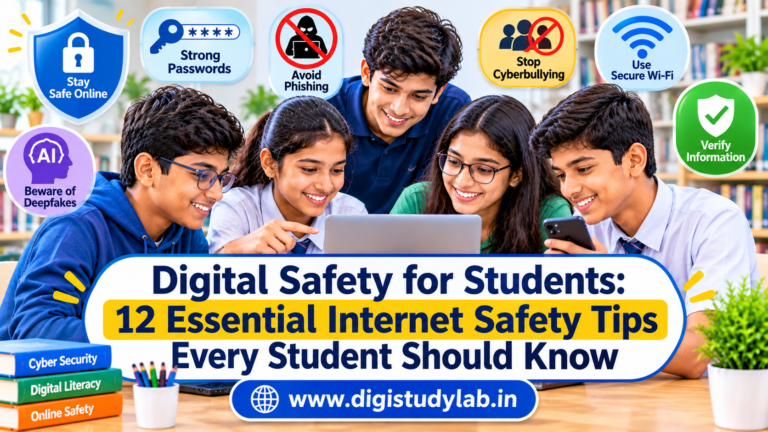
Introduction
The internet has become an essential part of modern education. Students use smartphones, computers, educational applications, online classrooms, search engines, and social media platforms to learn, communicate, and explore new opportunities.
Digital technology makes education more accessible, but it also introduces risks that students need to understand. Phishing messages, fake websites, cyberbullying, identity theft, online scams, privacy violations, and AI-generated misinformation can affect anyone who uses the internet without proper awareness.
Children and young people may be particularly vulnerable because they are still developing the knowledge and experience needed to recognise online threats.
This is why digital safety for students is an important part of modern education. Knowing how to protect personal information, recognise suspicious activities, secure online accounts, and respond to uncomfortable online experiences can help students use technology more confidently.
In this guide, Digi Study Lab.in explains 12 essential internet safety practices that every student should understand, along with practical examples and useful Indian government resources.
What Is Digital Safety?
Digital safety refers to the habits, precautions, and practices people use to protect themselves, their personal information, devices, and online accounts while using the internet.
It involves understanding online risks and making responsible decisions when interacting with websites, applications, social media, online games, and digital communication platforms.
For students, digital safety includes:
- Protecting personal information and passwords.
- Recognising suspicious messages, links, and websites.
- Using social media responsibly.
- Avoiding cyberbullying and online harassment.
- Securing smartphones, computers, and other devices.
- Understanding digital footprints.
- Identifying misleading information and AI-generated content.
- Knowing how to report cybercrime and seek help.
Digital safety is not about avoiding technology. It is about learning to use technology responsibly and securely.
12 Essential Digital Safety Tips Every Student Should Know
1. Create Strong Passwords and Protect Your Accounts
Passwords are among the first lines of protection for online accounts. Students may have accounts for email, online learning platforms, social media, gaming services, and educational applications.
Using simple passwords such as your name, date of birth, school name, or mobile number can make accounts easier to compromise.
A strong password should be difficult for others to guess.
Follow these password safety practices:
- Use long, unique passwords for different accounts.
- Avoid using personal information in passwords.
- Never share passwords with friends or strangers.
- Enable two-factor authentication (2FA) whenever available.
- Use a reputable password manager with guidance from a parent or guardian when appropriate.
- Change compromised passwords immediately.
For example, if someone discovers your social media password, using the same password for your email and educational accounts could put several accounts at risk.
Remember that a genuine support team should not ask you to reveal your password through an unsolicited message.
2. Never Click Suspicious Links or Unknown Attachments
Phishing is a common online technique in which criminals try to trick people into revealing sensitive information, downloading harmful files, or visiting fake websites.
Students may receive suspicious links through email, SMS, messaging applications, social media, or online gaming platforms.
For example, imagine receiving a message:
“You have won a free smartphone! Click here and enter your personal details to claim your prize.”
The message may look attractive, but it could lead to a fraudulent website designed to collect personal information.
How to recognise suspicious links:
- Messages that promise unrealistic rewards or prizes.
- Unexpected requests for passwords or verification codes.
- Links claiming that an account will be blocked immediately.
- Unknown attachments asking you to download files.
- Websites with misspelled domain names or unusual web addresses.
- Messages creating urgency or fear to make you act quickly.
Always verify important messages through the official website or application. Do not open unexpected attachments simply because they appear to come from someone you know.
3. Protect Your Personal Information Online
Personal information can be misused if it falls into the wrong hands.
Students should understand that information shared online may be copied, stored, forwarded, or accessed by people beyond the intended audience.
Avoid publicly sharing:
- Your home address.
- Personal mobile number.
- School or college details when unnecessary.
- Passwords and verification codes.
- Travel plans and live location.
- Identity documents.
- Private photographs and videos.
- Financial or banking information.
For example, posting a photograph of your school identity card may accidentally reveal your full name, school details, identification number, or other personal information.
Before sharing anything online, ask yourself whether it is necessary and whether you would be comfortable with strangers seeing it.
You should also review the privacy settings of your social media accounts regularly.
4. Use Social Media Carefully and Responsibly
Social media platforms allow students to communicate with friends, discover educational content, and express their interests. However, careless usage can expose users to privacy risks, fake accounts, harassment, and misleading information.
Students should remember that not every profile represents a genuine person.
Follow these social media safety practices:
- Keep personal accounts private when appropriate.
- Accept follow requests only from people you know or can verify.
- Avoid sharing sensitive personal information.
- Do not participate in online arguments or harassment.
- Think before posting photographs, comments, or videos.
- Block and report suspicious or abusive accounts.
- Avoid sharing your live location publicly.
Never feel pressured to send private photographs, personal information, or messages to someone you meet online.
If another person makes you uncomfortable, stop communicating and speak to a trusted adult.
5. Understand and Prevent Cyberbullying
Cyberbullying refers to bullying or harassment carried out through digital technologies, including social media, messaging applications, online games, and other internet platforms.
It may involve:
- Sending threatening or insulting messages.
- Sharing embarrassing photographs without permission.
- Spreading rumours about someone online.
- Creating fake profiles to impersonate another person.
- Excluding or repeatedly targeting someone in online groups.
- Sharing private conversations to humiliate someone.
Cyberbullying can affect a student’s confidence, emotional well-being, relationships, and academic life.
What should students do if they experience cyberbullying?
- Do not respond with threats or abusive messages.
- Save relevant screenshots, messages, usernames, and links.
- Block the person if necessary.
- Report the account or content through the platform.
- Tell a parent, teacher, school counsellor, or another trusted adult.
- Seek appropriate help if threats, harassment, or exploitation are involved.
Students should also remember that sharing, forwarding, or encouraging humiliating content can contribute to cyberbullying.
Treat people online with the same respect you would show them in person.
6. Be Careful When Using Public Wi-Fi
Public Wi-Fi is available in places such as railway stations, airports, libraries, shopping centres, and educational institutions.
Although convenient, unknown or poorly secured Wi-Fi networks may expose users to security risks.
For example, a fake Wi-Fi network may be created with a name similar to that of a nearby public network to attract unsuspecting users.
Stay safer when connecting to public Wi-Fi:
- Connect only to networks you can verify.
- Confirm the network name with the responsible organisation when possible.
- Avoid accessing sensitive accounts through unfamiliar networks.
- Never ignore browser security warnings.
- Keep your device software and security protections updated.
- Disable automatic connection to unknown Wi-Fi networks.
- Use mobile data for sensitive activities when practical.
Avoid entering passwords or personal information on websites that display security warnings or appear suspicious.
7. Download Applications and Software Only From Trusted Sources
Students often download applications for studying, entertainment, gaming, and communication.
However, applications obtained from unofficial websites or unknown sources may contain malware or request unnecessary access to personal information.
Malware is malicious software designed to damage devices, steal information, disrupt operations, or gain unauthorised access.
Before installing an application:
- Prefer official application stores and verified developer websites.
- Check the developer’s name.
- Review application permissions.
- Read recent user reviews carefully.
- Avoid modified or pirated applications.
- Do not install unknown files sent through messaging applications.
- Keep applications and operating systems updated.
For example, a simple calculator application should not normally need access to your contacts, microphone, and location.
Be cautious when an application requests permissions that do not appear necessary for its main purpose.
8. Stay Safe While Playing Online Games
Online gaming provides entertainment and opportunities to interact with other players. However, gaming platforms can also expose students to strangers, inappropriate conversations, fraudulent offers, and account theft.
Some scammers may offer free gaming currency, exclusive rewards, discounted items, or account upgrades to trick players into sharing passwords or verification codes.
Online gaming safety tips:
- Use a username that does not reveal your identity.
- Avoid sharing your real name, address, school, or phone number.
- Never share account passwords or verification codes.
- Do not click unofficial reward or free-currency links.
- Avoid sharing photographs or personal details with strangers.
- Use available privacy and parental-control settings.
- Report abusive players and suspicious activities.
- Inform a parent or guardian about uncomfortable interactions.
Remember that someone playing a game with you may not necessarily be the person they claim to be.
Students should also maintain a healthy balance between gaming, studying, physical activity, and sleep.
9. Learn to Identify Fake News and Misleading Information
Not everything published on the internet is accurate.
False information, misleading photographs, manipulated videos, and fabricated news stories can spread quickly through social media and messaging platforms.
Students should develop the habit of checking information before believing or sharing it.
How to identify potentially misleading information:
- Check the original source.
- Look for the publication date.
- Compare the information with reliable news organisations.
- Verify important claims through official government websites.
- Be cautious about sensational headlines.
- Check whether photographs or videos are being presented out of context.
- Avoid forwarding unverified messages.
For example, a viral message claiming that an examination has been postponed should not be treated as official information unless it is confirmed through the examination authority’s website or official notification.
Developing fact-checking habits is an important part of digital literacy.
10. Understand AI-Generated Content and Deepfakes
Artificial intelligence tools can generate text, images, voices, and videos that appear realistic.
Although these technologies have many educational and creative applications, they can also be misused to create misleading information, impersonate individuals, or produce harmful content.
A deepfake is synthetic or manipulated media that can make someone appear to say or do something they never actually said or did.
Students should be particularly careful when encountering:
- Unusual videos involving familiar people.
- Audio recordings that request money or sensitive information.
- Fake celebrity or public-figure endorsements.
- AI-generated images presented as genuine photographs.
- Fabricated examination notices or educational announcements.
- Messages impersonating teachers, school administrators, or relatives.
How to protect yourself:
- Verify unusual requests through another trusted communication channel.
- Do not transfer money based only on an audio or video message.
- Check important announcements through official sources.
- Avoid creating or sharing fake images or videos of other people.
- Respect consent, privacy, and intellectual property.
- Report harmful impersonation or abusive synthetic content.
Remember that AI-generated content is not automatically accurate or authentic.
11. Protect Your Digital Footprint
A digital footprint is the information and record of activities that you leave behind while using digital services and the internet.
It may include social media posts, comments, photographs, uploaded documents, website interactions, and information associated with online accounts.
Some information may remain accessible even after you delete the original post because it could have been copied, downloaded, or shared by others.
For example, a student who posts an insulting comment about a teacher or classmate may later discover that someone has saved and circulated a screenshot.
Build a positive digital footprint:
- Think before publishing anything.
- Avoid posting offensive or harmful content.
- Respect other people’s privacy.
- Do not share photographs without permission.
- Review old social media posts.
- Remove unnecessary personal information.
- Use professional and respectful language online.
Your online behaviour can influence how others perceive you. Developing responsible digital habits early can help protect your reputation in the future.
12. Know How to Report Cybercrime and Seek Help
One of the most important digital safety skills is knowing what to do when something goes wrong.
Students should never feel ashamed or afraid to report cyberbullying, online harassment, identity theft, suspicious messages, or financial fraud.
If you experience an online incident, take appropriate action instead of ignoring it.
Steps to follow:
- Stop interacting with the suspicious person or account.
- Preserve relevant screenshots, messages, transaction details, and website links.
- Do not delete important evidence before seeking guidance.
- Inform a parent, guardian, teacher, or another trusted adult.
- Report the incident through the appropriate platform or official authority.
- Secure affected accounts and devices.
Important cybercrime reporting resources in India
National Cyber Crime Reporting Portal
The Government of India’s National Cyber Crime Reporting Portal allows citizens to submit complaints relating to cybercrime.
Website: https://cybercrime.gov.in/
Cyber Financial Fraud Helpline – 1930
If you or your family become a victim of online financial fraud, report it immediately by calling 1930. You can also submit a complaint through the National Cyber Crime Reporting Portal.
Quick reporting is important because it may help authorities take timely action.
Emergency Assistance – 112
For immediate emergencies or situations involving threats to personal safety, contact the appropriate emergency services through 112.
Students should seek help from trusted adults when reporting incidents, particularly when they are minors.
Digital Safety Checklist for Students
Use this simple checklist to review your everyday online habits.
- I use strong and unique passwords.
- I never share passwords or verification codes.
- I avoid suspicious links and unknown attachments.
- I keep personal information private.
- I review my social media privacy settings.
- I communicate responsibly with people online.
- I download applications from trusted sources.
- I avoid sharing unverified information.
- I think before posting photographs or comments.
- I know how to block and report abusive accounts.
- I understand the risks of AI-generated content.
- I know where to seek help if I experience cybercrime.
Digital Safety Tips for Parents and Teachers
Students cannot be expected to understand every online threat independently. Parents, teachers, and educational institutions also play an important role in developing safe digital habits.
Here are some practical ways adults can support students.
For Parents
- Discuss online safety regularly without creating unnecessary fear.
- Encourage children to speak openly about uncomfortable online experiences.
- Use age-appropriate parental controls where necessary.
- Help children understand privacy settings and account security.
- Explain the risks of communicating with unknown people.
- Establish reasonable screen-time boundaries.
- Guide children when installing applications or joining online platforms.
- Respond calmly when children report mistakes or online problems.
For Teachers and Schools
- Include digital safety awareness in student education.
- Explain phishing, cyberbullying, online fraud, and privacy risks.
- Encourage respectful online communication.
- Teach students how to verify digital information.
- Establish clear procedures for reporting cyberbullying and online harassment.
- Conduct age-appropriate cyber-safety awareness activities.
- Encourage students to seek help rather than remain silent.
Digital safety education should be an ongoing process rather than a one-time classroom activity.
Useful Government Resources for Digital Safety in India
Students, parents, and teachers can explore the following official resources to improve their understanding of cybersecurity and responsible internet use.
| Resource | How It Helps |
|---|---|
| CERT-In Awareness Booklets | Cybersecurity awareness materials and practical safety guidance |
| NCERT Cyber Safety Resources | Educational resources for students, teachers, parents, and schools |
| National Cyber Crime Reporting Portal | Online reporting of cybercrime incidents |
| Indian Cyber Crime Coordination Centre (I4C) | Information and initiatives related to cybercrime prevention and reporting |
| NCPCR Guidelines | Guidance for preventing bullying and cyberbullying in schools |
These resources can help students develop safer online habits and understand where to find reliable information.
Frequently Asked Questions About Digital Safety for Students
1. Why is digital safety important for students?
Digital safety helps students protect personal information, online accounts, devices, and privacy. It also teaches them to recognise cyberbullying, online scams, phishing attempts, and other internet-related risks.
2. What are the most common online risks faced by students?
Common online risks include phishing, cyberbullying, identity theft, fake websites, online gaming scams, privacy violations, malware, misleading information, and inappropriate interactions with strangers.
3. How can students protect their personal information online?
Students should avoid publicly sharing sensitive details such as their home address, phone number, passwords, identity documents, and live location. They should also review privacy settings and communicate cautiously with unknown people.
4. What should a student do if someone is cyberbullying them?
The student should preserve relevant evidence, avoid responding with abusive messages, block and report the person, and inform a trusted adult. Serious threats, harassment, or exploitation should be reported to the appropriate authorities.
5. Is public Wi-Fi safe for students?
Public Wi-Fi can be convenient, but unfamiliar networks may carry security risks. Students should connect only to verified networks, avoid sensitive activities on unknown connections, and never ignore browser security warnings.
6. How can students identify fake websites?
Check the website address carefully, verify the organisation behind it, look for suspicious spelling or unusual domains, and avoid entering personal information through unexpected links. Use official websites whenever possible.
7. What is a digital footprint?
A digital footprint is the information and record of activities a person leaves behind while using the internet. It can include social media posts, comments, photographs, uploaded files, and online interactions.
8. What is the cybercrime helpline number in India?
The national helpline number 1930 is used for reporting online financial fraud. Complaints can also be submitted through the National Cyber Crime Reporting Portal at https://cybercrime.gov.in/.
9. How can parents help children stay safe online?
Parents can discuss online risks, encourage open communication, guide children when using digital platforms, explain privacy settings, and use age-appropriate parental controls. Children should feel comfortable reporting uncomfortable online experiences.
10. How can students use AI tools safely?
Students should verify AI-generated information, avoid sharing sensitive personal details with AI services, respect privacy and copyright, and never use AI to create or distribute harmful or misleading content about others.
Conclusion
The internet provides students with valuable opportunities to learn, communicate, explore, and develop new skills. However, enjoying these benefits also requires awareness of online risks and responsible digital behaviour.
By following simple practices such as using strong passwords, protecting personal information, avoiding suspicious links, recognising cyberbullying, checking online information, and understanding digital footprints, students can make their online experiences safer.
Digital safety is not only the responsibility of technology companies or government authorities. It is a shared responsibility involving students, parents, teachers, schools, and the wider community.
Start developing safe digital habits today. Think before you click, protect your privacy, respect others online, and never hesitate to ask for help when something feels wrong.
At Digi Study Lab.in, we believe that education should prepare learners not only for academic success but also for responsible participation in the digital world.
Learn safely. Stay informed. Be a responsible digital citizen.
References and Further Reading
- CERT-In – Awareness Booklets
- NCERT CIET – Cyber Safety and Security Resources
- NCERT CIET – Safeguarding Against Cybercrime
- NCPCR – Preventing Bullying and Cyberbullying: Guidelines for Schools
- Indian Cyber Crime Coordination Centre – National Cyber Crime Reporting Portal
- Ministry of Electronics and Information Technology – Government Information on Children’s Online Safety